As a girl who grew up in the age where saying “I want to be a YouTuber when I grow up!” was common, I know my way around picture editing. In the last decade, my friends and I have created numerous YouTube channels and I have had to learn video editing and picture editing to keep up with our ambitions. I created thumbnails, edited hundreds of videos, and to this day, my friends and I still post on our just-for-fun channel, ELK.
While I don’t really consider YouTube a hobby or anything, I do consider video editing a huge hobby of mine–in particular, montaging. I love making montages of my time travelling, or sometimes just summer in general. I think that montages are the best way to sum up a trip, and are so rewarding to watch back. I have all my montages in https://www.youtube.com/playlist?list=PLNR6WuzDon7GfS2Tfx80Otm5tuPLFqQXX and I think it’s amazing how much my video editing skills have improved from 2019 to now.
I guess my point of this entry is that basic skills in video/photo editing can transcend to new hobbies that teachers don’t even consider. I had to teach myself video editing off of a very slow version of iMovie on an iPhone 4, but I persevered. I think that this is a valuable asset to teach in schools, especially in the digital age. Teaching a kid video editing can turn them into a future movie director… or just a girl who makes montages. Either way, it is an important skill to teach and I’m happy to be entering a profession where I can make this possible.
This week on my musical journey of learning the harmonica, I decided to take my harmonica on a bit of a road trip. Now that I’m comfortable with the tabs and notes of the harmonica, and even capable of playing songs like “Alouette” by memory, I decided to familiarize OTHER people with my beautiful harmonica skills. On Wednesday, I brought my harmonica with me to work and serenaded my boss with several renditions of “Alouette.” He said it was “pretty good the second time I played it…” probably just to get me to stop and continue doing my job.
The next day I went to a meeting for the Education Student Association (on which I am an executive) and at the end of our meeting, I pulled out my harmonica to the sound of my fellow chair members’ gasps of horror… but to everyone’s delight I played them a wonderful song. (It was just “Alouette” again…)
Playing the harmonica for other people has been a lot of fun and it has definitely been a top contributing factor to my overall harmonica skills. I’ve played it so much for other people this week, that now even I am tired of hearing it. Next week, I plan on diversifying my repertoire and learning how to play some new songs.
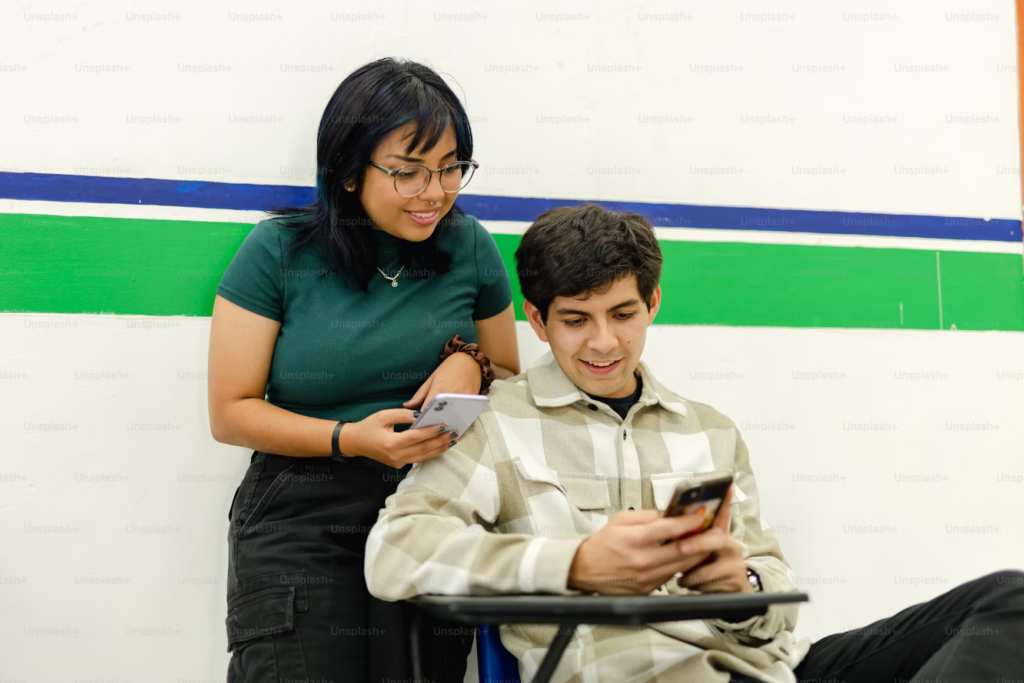
The introduction of cell phones, the internet, and social media marked an irreversible change in our society. With these came the end of privacy, the end of solitude, and the end of authenticity. My little sisters are Generation Alpha and they’re being raised by screens, phones, and the internet. Gone are the days of all the neighbourhood kids playing outside after school, replaced with sitting on the couch and playing Roblox for hours. I don’t agree with how my sisters are being raised, but I don’t blame my parents either. The introduction of iPads and YouTube made parenting easier… If your kid is having a tantrum, just shove a game in their face!
Contrary to how I despise how play time is now replaced with screen time, I don’t agree with this all-encompassing phone ban at schools. I think that a phone ban in Elementary schools SHOULD be useless, as I don’t think any child under the age of 11 should have their own personal screen, let alone a cellular device, but unfortunately, this is not an idea that all parents agree with. In my Link2Practice 4/5 class, several of the 8 or 9 year-old students had cell phones… for texting, games, and social media as well. So while I think an Elementary phone ban should be unnecessary, experience shows that it is not.
For high school, however, I do not agree with a phone ban. Strict rules create sneaky kids, and I think that the stricter these phone bans get, the more energy students are going to put into getting around it. I remember having a phone ban in a few classes during high school (where we had to put our phone in sleeves at the front of the room) and I would always try to get around it, (even though I had a barely-working iPhone 4) I was fighting it for the principle. My friends and I would put calculators inside the sleeves instead of phones, or once it was further in the year and my teacher would stop checking the sleeves so often, we would just stop putting our phones in there at all. Sometimes we’d put our phones in there until the teacher took “phone attendance” then we would sneak them back out when they weren’t looking.
It’s not like we were even using our phones inappropriately. I find that music makes me focus, so I would listen to music during class in order to pay attention. It’s something I still do in University when I find my mind wandering during a lecture. Once I got Bluetooth headphones, I would turn on music before putting my phone at the front of class, and I know many kids would do that too.
Phones in a high school environment are not just a distraction. They are a tool so interweaved with our society that it is fraught to expect a school of 1200 students to go without their phones for 7 hours. If everyone wants kids to be less dependent on phones, then our society has to change as a whole to support that. Kids do not raise themselves. If we are raised in an environment where we are constantly connected and online, with a screen available to us at any time, then that is how students will expect schooling to be too, and breaking them from this routine will be exhausting.
Instead, I believe that teachers should work WITH students to be able to have access to their phones and also be attentive and learning. Instead of marking phones as this negative thing, they should be seen as a helpful tool that can be used in learning. This not only creates open communication about the internet and social media, but it prepares students for the world after secondary school–where phones are a big part of life and the workplace. In short, I think that this “phone ban” is a bandaid over a bullet hole, and in order to fix the root of too many screens and a distracted class, students need to have more freedom with their own property.
To start off my epic journey into learning the harmonica, I first needed to learn about my harmonica. After a bit of Googling, I’ve learned that my harmonica is called a diatonic harmonica. This means that it has 10 holes to play from, with each hole having 2 notes, meaning there are 20 unique sounds total. With each hole of the harmonica you can either inhale (draw) or exhale (blow).
To play a song on the harmonica, you do not use a traditional music sheet. Instead, you use something called the Tab System. Tabs usually correspond to the lyrics of a specific song with numbers that correspond to the hole you need to play. If the number is negative, then it is a draw note and you must inhale. If the number is positive, then it is a blow note and you must exhale.
Tab for “Alouette”
To begin learning how to read tabs while playing, I looked for easy well-known songs, specifically the Quebecois nursery rhyme “Alouette.” My first time playing “Alouette,” I was on FaceTime with my boyfriend. At first he said I sounded “pretty choppy,” but by the end of the roughly 10 minutes of ear-piercing torture I made him endure, he told me that I am, AND I QUOTE, “getting pretty good!”
The year is 2025, and TikTok, a social media platform focusing on short-form videos, is everywhere. I personally do not use TikTok, but I have a tendency to scroll Instagram reels (TikTok’s evil cousin) in my spare time. The algorithm definitely knows I am in the Elementary B.Ed. Program, as many of the videos I get on my feed are teaching-related. Most notably, there are so many TikToks of teachers and their students.
Upon talking about this topic in class, it reminded me how strange I find this use of social media in the classroom. Some of these accounts are posting TikToks daily. While I can see the fun in filming a short video with students during pack-up time, the issues come in when considering whether these students and their guardians have consented to be all over the internet and how these students are not just being used for clicks and views but also for money.
TikTok is a platform that pays its creators, and while most of these TikTok teachers are not making a profit from these videos, it is beyond a doubt that others are. They are monetizing these kids and disguising it as a “fun break from learning.” While really, it is a scheme to use students to promote clicks, views, and profit.
Photo by Jordan Gonzalez on Unsplash
Recently, I watched a video where a teacher was sitting blindfolded in the classroom and one-by-one each of the ~25 students came up to her and said her name. The teacher then guessed each student’s name off of their voice (and got them all right). This video was a fun way to test her ability to recognize each student’s voice but the problem arises when considering that she has put her entire class, (their names and what each student looks like), online. Not just on one platform either, but TikTok, Instagram, Facebook, and who knows what else.
After talking about this, FIPPA, and the BC school regulations around student data in class, it got me wondering about the consent side of this. Were students/guardians asked for consent for these videos? If so, was it verbal or did they sign a form? Was the frequency of filmed videos discussed, and the fact that student’s names would be shared? Was the monetization side of this discussed with the school administration and parents/guardians? Lastly, were students/guardians made aware that these videos are published on multiple platforms?
The ethical considerations are what stand out to me; I’ll probably never get an answer to the questions above. I’m glad I spent so much time thinking about this though–it allowed me to come to the conclusion that this is something I will not be integrating into my classroom. Ever.
Hello and welcome to the beginning of my Free Inquiry Project.
“What is a Free Inquiry Project?” You might ask. Well, for my Technology Innovation in Education class, it is a series of blog posts which follow my journey to learn the harmonica.
I’ve owned a harmonica for about ten years now, yet I have never once opened the “How to Play the Harmonica” book which came with it. And yes, I have made my family’s ears bleed by playing it regardless. A lot of my favourite songs, like “House of the Rising Sun,” “Hurt,” and “Piano Man,” are perfect for the harmonica, and I am excited to have the ability to play them. So, with the freedom to do this project on absolutely anything my heart desires, I have decided to learn the harmonica. Wish me (and my family’s ears) luck!
Buy and Download Windows Activator Software for Instant Activation
If you want to quickly activate your Windows operating system, buying and downloading windows activator software is a simple and effective solution. This software helps users unlock all the features of their Windows without any hassle. With instant activation, you can enjoy a fully functional system right after installation. Using windows activator software ensures that your copy of Windows is genuine and ready to use, avoiding any limitations or interruptions.
Many people look for a reliable way to activate Windows without spending too much time or effort. Windows activator software offers a fast and easy method to achieve this. It works by validating your system and enabling all the premium features that come with a licensed version. This means you can access updates, security patches, and customization options without restrictions.
When you buy and download windows activator software, you get a tool designed to work with different versions of Windows. Whether you have Windows 7, 8, or 10, this software can help you activate your system smoothly. It is important to choose a trusted source to ensure the software is safe and effective. Using windows activator software not only saves time but also provides peace of mind knowing your system is properly activated.
How Windows Activator Software Works: Activation Methods and Key Features
Windows activator software is designed to help users activate their Windows operating system quickly and easily. This activation software for windows uses different software activation methods to verify and unlock the full features of the system. One common approach is digital license activation, which allows the system to be activated without needing a physical product key. Another method involves windows license activation that connects the system to Microsoft’s servers to confirm the license status.
Using windows activator software simplifies the activation process by automating these steps. It ensures that the Windows copy is genuine and fully functional. This software can work with various Windows versions, making it a versatile tool for many users.
Understanding KMS Technology and Windows Activation Protocols
KMS (Key Management Service) technology is a popular software activation method used by windows activator software. It works by creating a local server that mimics Microsoft’s activation servers. This server communicates with the Windows system to perform windows license activation without needing to connect to the internet.
KMS technology follows specific Windows activation protocols to ensure the system is correctly activated. It sends activation requests and receives responses that confirm the license status. This method is often used in large organizations to activate multiple computers efficiently.
Feature
Description
Local Server
Mimics Microsoft activation servers
Activation Requests
Sends and receives license status messages
Offline Activation
Can activate without internet connection
Activation Without License Key and License Key Bypass Methods Explained
Some windows activator software uses activation methods that do not require a license key. These methods include digital license activation, where the system is activated based on hardware and software information stored in Microsoft’s database. This means users do not need to enter a product key manually.
License key bypass methods are techniques that allow activation without using a valid key. These methods modify system files or use special scripts to trick the Windows activation system. While these methods can activate Windows quickly, they may carry risks and are not always recommended.
“Activation without a license key can be convenient but may affect system security and updates.”
Key Features, Benefits, and Safety of Windows Activator Software
Windows activator software offers several key features that make it useful for users:
Supports multiple Windows versions
Provides instant activation
Uses digital license activation for ease
Offers windows license activation without manual key entry
The benefits include saving time, avoiding activation errors, and unlocking all Windows features. Safety is also important; trusted activator software ensures no harmful changes to the system and protects user data.
Benefits
Description
Time-saving
Quick activation process
User-friendly
Easy to use with simple steps
Secure
Protects system integrity
Compatible
Works with various Windows editions
Windows Activation Utility Tools: Windows Activation Manager and Activation Toolkit
Windows activation utility tools like Windows Activation Manager and Activation Toolkit are part of the activation software for windows ecosystem. These tools help manage the activation process by providing user interfaces and automation features.
Windows Activation Manager: Simplifies windows license activation by guiding users through the steps and checking activation status.
Activation Toolkit: Offers advanced options for digital license activation and troubleshooting activation issues.
These utilities complement windows activator software by making activation easier and more reliable for users.
Installation and Setup Guide for Windows Activator Software
Installing activation software for Windows is a straightforward process that helps you unlock all the features of your operating system. Before starting, make sure you have a reliable activation software download ready. This guide will walk you through the steps to set up the software safely and correctly.
When you perform a windows activation tool download, it’s important to verify the file is complete and free from errors. After downloading, you usually need to run the installer and follow on-screen instructions. The setup process often includes accepting terms and selecting installation preferences.
Once installed, the activation software for Windows will prepare your system for activation by checking your current license status. This ensures the software works smoothly with your version of Windows, whether it’s Windows 7, 8, or 10.
Step-by-Step Installation of Windows Activation Software for Windows 10, 8, and 7
Download the activation software download file from a trusted source.
Locate the downloaded file in your Downloads folder or the chosen directory.
Right-click the installer and select “Run as administrator” to start the setup.
Follow the installation wizard by clicking “Next” and agreeing to the license terms.
Choose the installation folder or use the default path suggested by the installer.
Click “Install” and wait for the process to complete.
Finish the setup by clicking “Finish” and restarting your computer if prompted.
How to Use Windows Activation Script and Activation Software for PC
After installation, you can use the windows activation tool download to activate your system. Most activation software for Windows includes a script or a simple interface to start the activation process.
Open the activation software.
Select the option to activate Windows.
The software will run a script that communicates with activation servers or emulates them.
Wait for the confirmation message that Windows is activated.
Restart your PC if required to apply changes.
Using the activation script is usually automatic, but some tools allow manual input of activation keys or additional settings for advanced users.
Downloading and Running Windows Activation Patch and Activation Crack
Sometimes, activation software for Windows comes with a patch or crack to bypass license checks. To use these safely:
Perform the activation software download from a secure source.
Extract the patch or crack files if they are compressed.
Run the patch as an administrator.
Follow any instructions to apply the crack to your Windows system.
Restart your computer to complete the activation.
Note: Using patches or cracks can carry risks and may affect system security or updates.
Emulating Local Server for Corporate Network Activation
In corporate environments, activation software for Windows may use a local server emulation to activate multiple PCs efficiently. This method mimics Microsoft’s activation servers within the company network.
The activation software sets up a local Key Management Service (KMS) server.
PCs connect to this local server to request activation.
The local server responds with activation approval without needing internet access.
This method saves bandwidth and simplifies managing many licenses.
Frequently Asked Questions About Windows Activator Software
Windows activator software helps users unlock the full features of their Windows operating system. Many people have questions about how these tools work and their safety. Below are some common questions and answers about activation software for windows, windows activation utility, and software activation tool.
Using an activation software for windows can make the process easier by automating license verification. A windows activation utility often includes features to check activation status and guide users through activation steps. A software activation tool may support different Windows versions and activation methods.
Question
Short Answer
Is activation software for windows safe?
Usually yes, if downloaded from trusted sources
Can I activate Windows without a product key?
Yes, some tools offer this feature
Does the software activation tool work for all Windows versions?
Most support Windows 7, 8, 10, and 11
Can I use windows activation utility for Office products?
Some tools support Office activation too
How to Activate Windows Without Product Key?
Activating Windows without a product key is possible using certain activation software for windows. These tools use digital license activation or emulate activation servers to unlock Windows features without entering a key.
To do this, you usually:
Download a trusted software activation tool.
Run the windows activation utility included.
Follow the instructions to activate Windows automatically.
This method is helpful if you lost your product key or want a quick activation. However, it is important to use safe and reliable tools to avoid security risks.
What Is the Windows 10 Activation Key and How to Use It?
The Windows 10 activation key is a unique code that proves your copy of Windows is genuine. It usually comes with your purchase or device.
To use it:
Open the activation settings on your PC.
Enter the Windows 10 activation key when prompted.
The system will verify the key using a windows activation utility.
Once verified, Windows will be fully activated.
Using a software activation tool can simplify this process by automatically detecting and applying the key if you have it saved.
How to Use Windows 11 Activation CMD for Activation?
Windows 11 activation can be done using Command Prompt (CMD) commands with the help of activation software for windows.
Steps include:
Open CMD as administrator.
Use specific commands to install the product key and activate Windows.
The windows activation utility may automate these commands for you.
This method is useful for advanced users who want to manually control the activation process using a software activation tool.
Is Windows Activator Software Free and Safe to Use?
Some windows activator software is free, while others require payment. Free tools can be helpful but may carry risks if not from trusted sources.
Safety tips:
Always download from reputable websites.
Use antivirus software to scan files.
Avoid tools that ask for personal information.
A reliable windows activation utility ensures your system stays secure while activating Windows.
“Using trusted activation software for windows protects your PC and ensures genuine Windows features.”
Can Windows Activator Software Work for Office Products?
Yes, some software activation tools are designed to activate Microsoft Office products as well as Windows.
Features include:
Detecting installed Office versions.
Applying activation keys or digital licenses.
Using windows activation utility functions to manage Office activation.
This makes it convenient to activate both Windows and Office with one tool, saving time and effort.
Join the Best Indian Porn Telegram Groups for Adult Content
If you’re looking for exciting adult content, joining the best Indian porn Telegram groups is a great option. These groups offer a variety of content that caters to different tastes and preferences. You can find Indian adult channels that share videos, images, and discussions about adult themes.
Many of these groups are part of NSFW groups, which means they focus on not safe for work content. This can include everything from erotic stories to explicit videos. Indian adult groups are popular for their diverse content and active communities.
In addition to public groups, there are also private channels that offer exclusive content. These channels often require an invitation or approval to join, making them a bit more special. By joining these groups, you can connect with others who share similar interests and explore a wide range of adult content.
Telegram groups are a popular place for sharing nude content, especially among those interested in Indian content. These groups often host adult discussions where members can talk about their preferences and share experiences related to mature content.
Many users are drawn to these groups for the variety of Indian NSFW material available. You can find everything from images to videos that cater to different tastes.
What types of content are shared in Indian adult Telegram groups?
In Indian adult Telegram groups, you can expect to see a range of explicit content. Here’s a quick list of what you might find:
Adult Media: This includes videos and images that are meant for mature audiences.
Indian Media Sharing: Members often share local content that reflects Indian culture and themes.
Indian Video Sharing: Users post videos that may include adult themes or explicit material.
These groups provide a platform for sharing and discussing various forms of adult content, making them a hub for those interested in exploring this type of media.
Relevant Short Videos in Telegram Channels
Telegram channels are a great place to find relevant short videos, especially for those interested in the adult community. These channels often feature clips that are entertaining and cater to various tastes in adult entertainment.
Many users turn to Indian social media platforms to discover these short videos. The content shared here can range from funny clips to more explicit material, appealing to a wide audience.
Join us Telegram Porn Channels for exclusive content
If you’re looking to dive deeper into adult sharing, joining Indian private groups can be a fantastic option. These groups often focus on adult networking, allowing members to connect and share their favorite content.
Here’s a quick list of what you might find in these exclusive channels:
Short Adult Clips: Quick videos that are perfect for a brief entertainment break.
User-Generated Content: Members share their own creations, adding a personal touch.
Themed Video Collections: Curated lists of videos based on specific interests or themes.
By joining these channels, you can access a treasure trove of Indian digital content that keeps you engaged and entertained.
When exploring Indian Telegram adult content, many users turn to various platforms for their needs. These searches often lead to vibrant adult forums and lively Indian online discussions.
People engage in adult messaging to connect with others who share similar interests. This interaction helps build a sense of community among users.
Individuals are welcome to the porn Telegram channel
In these channels, individuals can participate in adult group chats that foster open conversations.
The channels also promote Indian online sharing, allowing users to exchange content freely.
Here’s a quick list of what you might find in these adult platforms:
Adult Group Chats: Spaces for discussions and sharing experiences.
Indian Digital Sharing: Platforms for exchanging various types of adult content.
Community Engagement: Opportunities to connect with like-minded individuals.
These elements make Indian online communities a popular choice for those interested in adult content.
Desi Girls 18+ Content on Telegram
Desi girls 18+ content on Telegram is a popular topic among users looking for adult content. Many people join Indian adult channels to explore this type of material. These channels often feature a variety of content that caters to different preferences and interests.
In addition to videos and images, users can engage in adult discussions within these groups. This creates a lively environment where members can share their thoughts and experiences related to Indian adult content.
Above 18+ porn channels: What to look for
When searching for above 18+ porn channels, it’s important to know what to look for. Here are some key points to consider:
Private Channels: These channels often provide exclusive content that is not available in public groups.
Indian Content: Look for channels that focus on Indian themes and styles, as they often resonate more with local audiences.
Adult Discussions: Engage in conversations about preferences and experiences to enhance your understanding of the content.
Indian NSFW: Make sure the channels you join are labeled as NSFW to ensure you are accessing adult material.
By keeping these points in mind, you can find the best channels that suit your interests in adult content.
There are several platforms where you can find Indian adult content. These platforms cater to different tastes and preferences, making it easier for users to explore mature content.
Some popular options include:
Adult Media Websites: These sites focus on sharing explicit videos and images, often featuring Indian themes.
Indian Media Sharing Platforms: Users can upload and share their own content, creating a diverse library of adult material.
Indian Video Sharing Sites: These platforms allow users to post videos that may include adult themes, making them a hub for adult entertainment.
Understanding the laws surrounding adult content in India
When it comes to adult content in India, it’s important to understand the laws that govern it. The legal landscape can be complex, especially on Indian social media and online groups.
Here are some key points to consider:
Adult Community Guidelines: Many platforms have specific rules about what can be shared, especially regarding explicit content.
Censorship Laws: The Indian government has regulations that restrict certain types of adult entertainment, impacting what can be shared online.
User Responsibility: Individuals should be aware of the laws and ensure they are sharing content responsibly within the adult community.
FAQ
In this section, we will answer some common questions about Telegram and adult content sharing.
Can police track Telegram?
Yes, police can track Telegram, but it depends on various factors. Telegram offers some privacy features, but if law enforcement has a reason to investigate, they can potentially access user data.
Is Telegram free in India?
Yes, Telegram is free to use in India. You can download the app and join groups without any cost. This makes it a popular choice for users looking to connect and share content.
Where can I find private Telegram channels?
You can find private Telegram channels by searching online forums or social media groups that focus on adult sharing. Many users share links to these channels, especially those related to Indian private groups.
How to find real Telegram groups?
To find real Telegram groups, you can use search engines or join adult networking forums. Look for recommendations from other users who share similar interests in Indian digital content.